Apiome Git
Git-style branching, merge, and rollback for your live schemas.
Apiome Git wraps every schema in a full version-control workflow — commit dialogs with metadata and policy gates, optimistic-locked push with stale-head recovery, branch management, merge preview with conflict resolution, rollback with impact analysis, and a workflow audit ledger. All inside the Studio canvas, with a CLI-style command palette.
What ships with Git
Every Git surface is wired into the rest of the Apiome platform — no glue code, no separate identity, no bolt-on integrations.
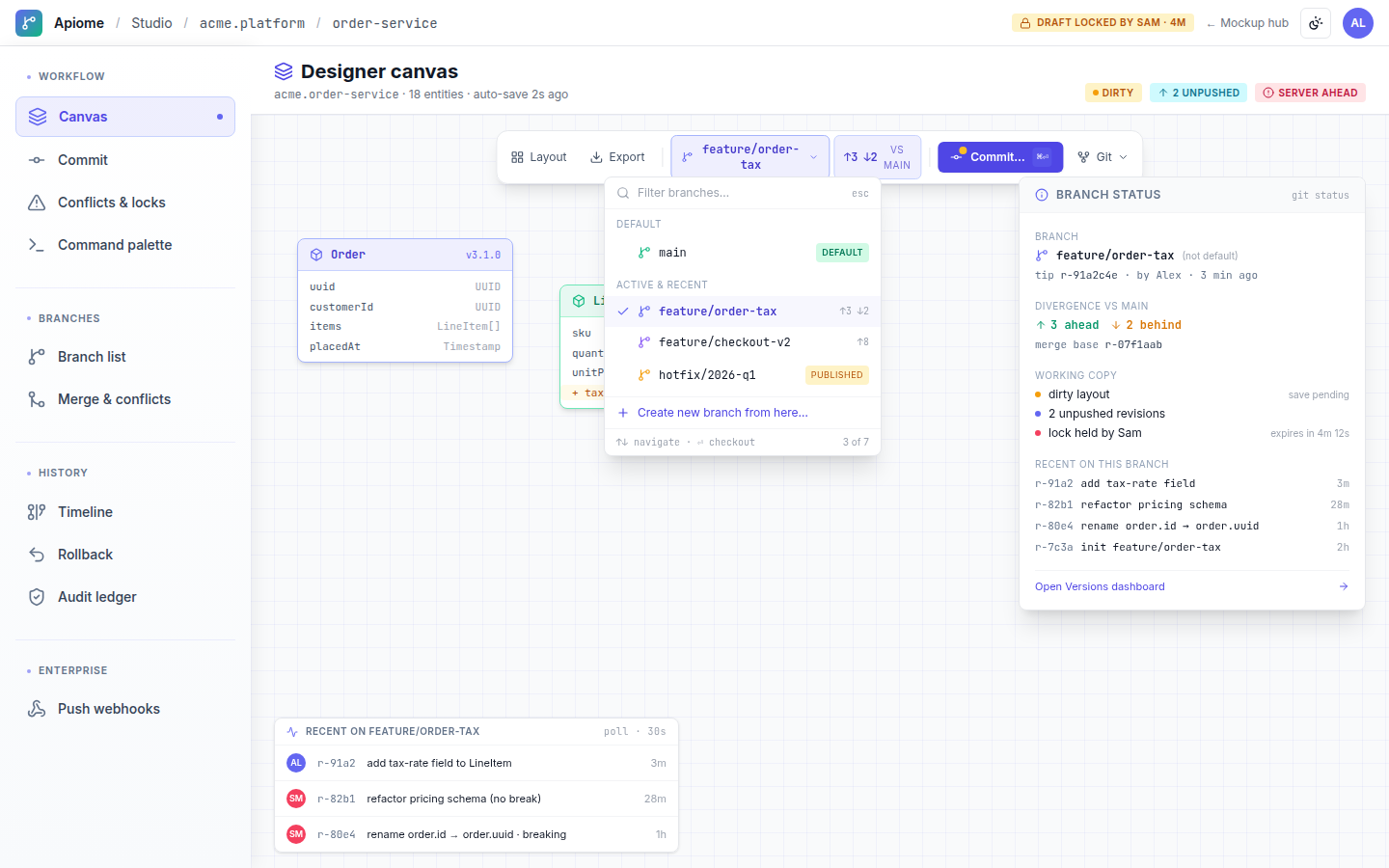
Canvas-first workflow
Branch chip, ahead/behind divergence, a prominent Commit button, status popover, and a live activity ticker in the Designer canvas.
Policy-gated commits
Required commit messages, external refs, version bumps, and guardrails with an inline compatibility report before you commit.
Branch management
A protected default main branch, divergence counts, draft-lock state, and merge-path protection.
Merge preview & conflict resolution
Dry-run previews with per-conflict mine/theirs/manual choices, bulk filters, and one-click Sync from main.
Rollback with impact analysis
An added/removed/modified impact summary and confirm dialog, every rollback captured in the audit trail.
Command palette
A fuzzy CLI-style palette for commit, branch, checkout, pull, sync, merge, and rollback.
A look inside Apiome Git
Live design previews from the Git mockup pack — 10 surfaces in total.
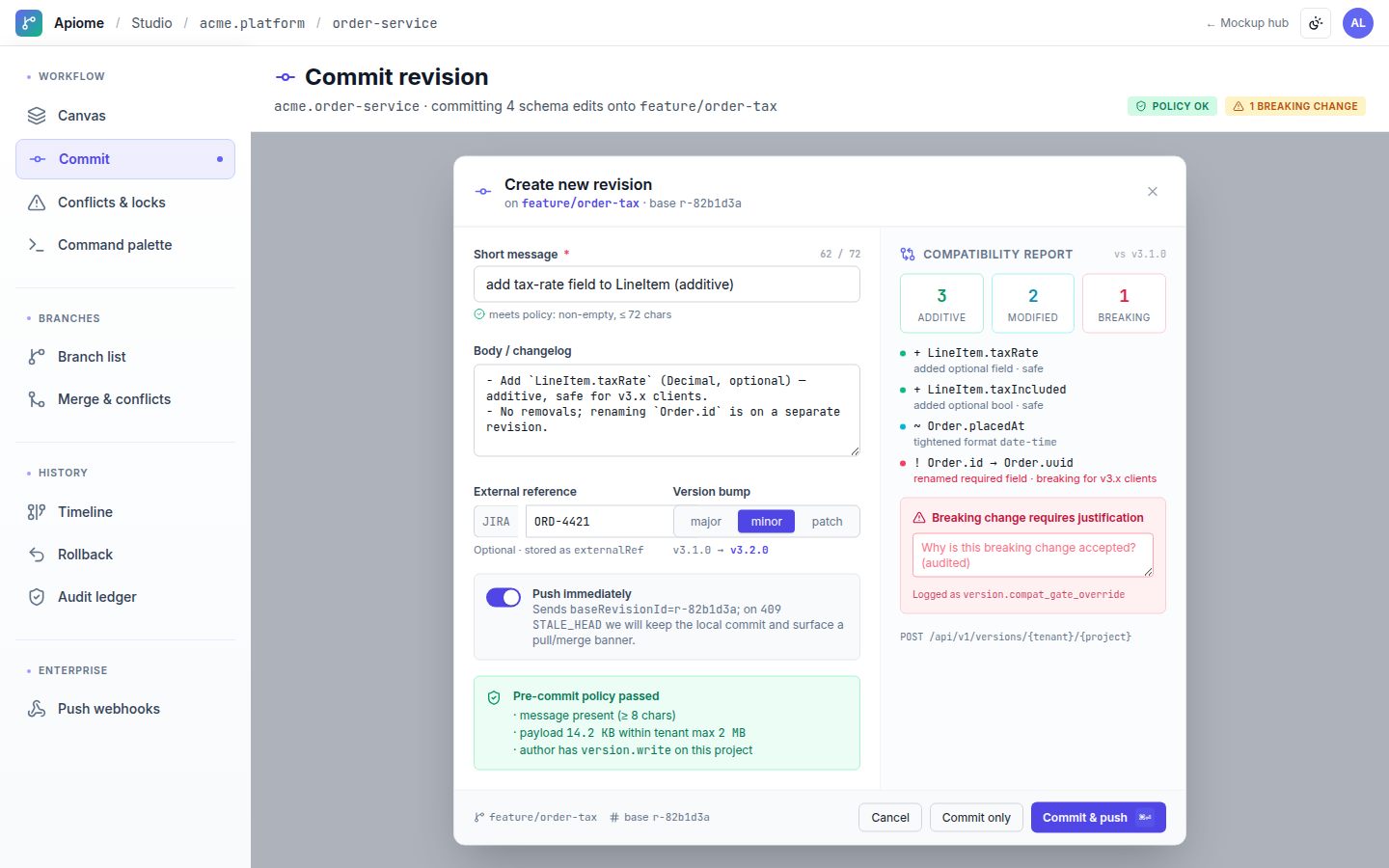
Commit with a required message, external ref, version bump, policy guardrails, and an inline compatibility report.
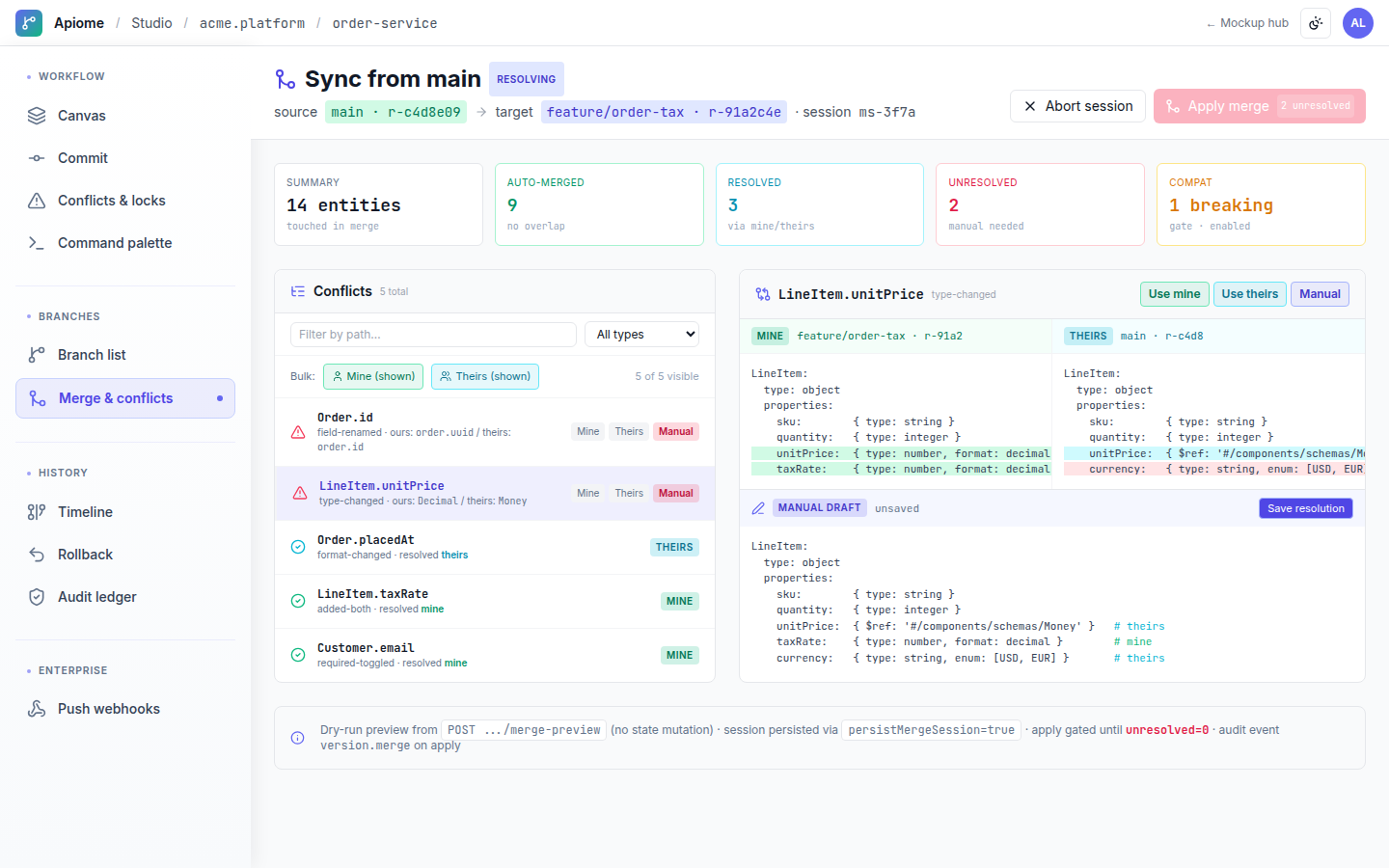
Dry-run merge preview with per-conflict mine/theirs/manual resolution, bulk filters, and Sync from main.
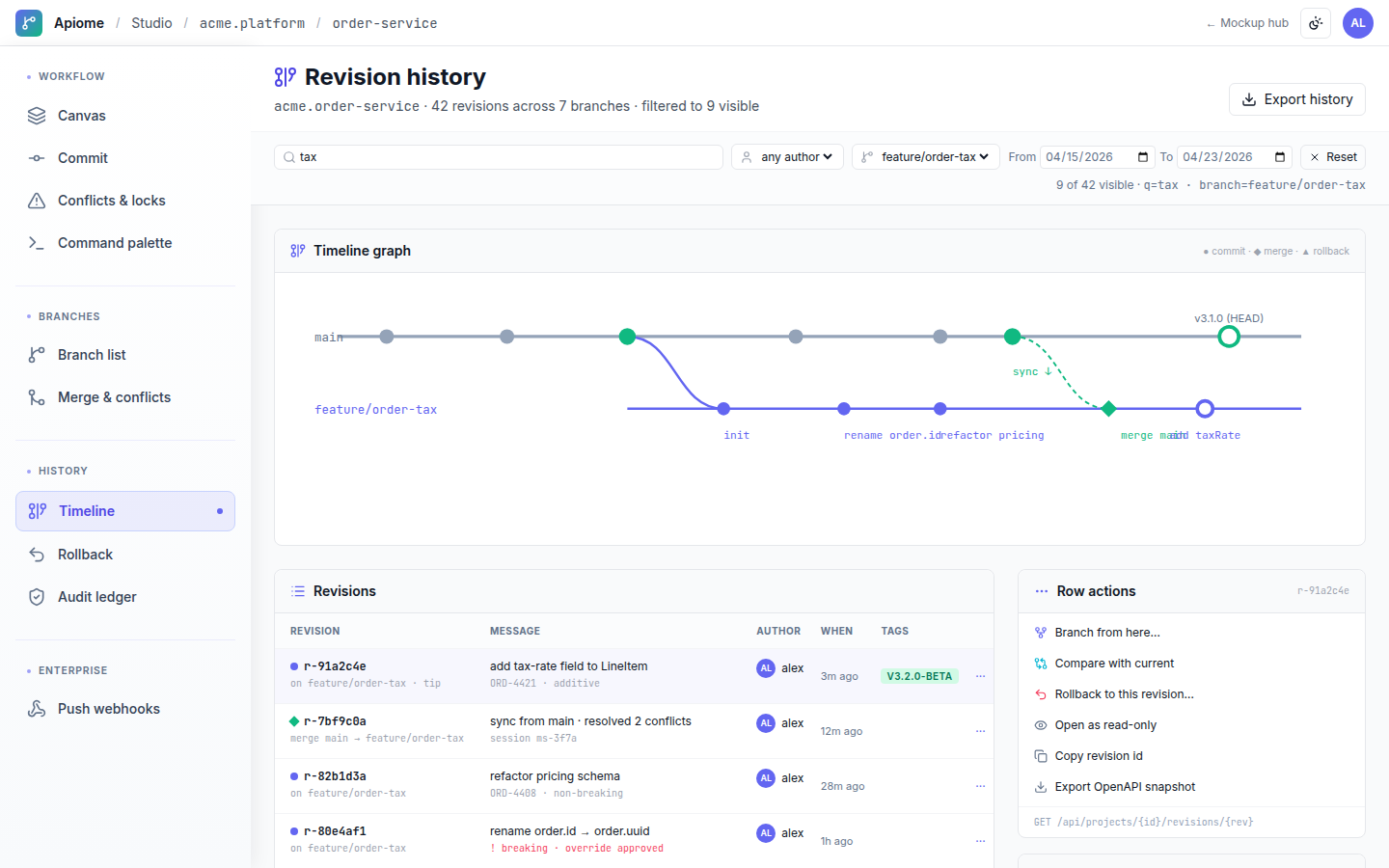
Timeline graph with search, author and date filters, branch-from-here, and compare-with-current.
Use cases
Git is designed around the way real teams actually work — not the way a tool wants them to work.
Branch off main for a risky change, preview the merge, and roll back cleanly if compatibility breaks.
Enforce policy gates and required metadata on every commit to a shared production schema.
Produce a filterable, complete ledger of every commit, push, merge, and rollback for review.
- Policy guardrails and required metadata enforced on every commit
- Optimistic-locked push with stale-head detection and recovery
- Merge-path protection and default-branch guarding
- Workflow audit ledger across commit, push, pull, merge, and rollback
- Push webhooks with retry policy and dead-letter inspection
- Draft commit messages and version-bump recommendations from the diff
- Assess merge risk and summarize conflicts in plain language
- Suggest a per-conflict resolution based on change intent
- Explain rollback impact before you confirm
AI reviewer for every change
Git ships with AI that drafts commit messages, assesses merge risk, and explains conflicts and rollback impact so teams move fast without breaking consumers.
Every GitAI feature is grounded in your tenant's data, runs under your data-residency policy, and respects every role and ACL the platform enforces.
Every surface in Apiome Git
A look at the 10 screens designed for this suite — covering everything from day-1 onboarding to day-100 operations.