Apiome Navigation
One header, one palette, one command surface for the entire suite.
Apiome Navigation is the global app shell that ties 30+ surfaces into a single, coherent way to move. A two-tier header collapses the old center rail into a searchable app switcher, keeps project, branch, and tenant context always in view, and puts a ⌘K command palette on every screen. Wayfinding that scales as the suite grows — without a redesign.
What ships with Navigation
Every Navigation surface is wired into the rest of the Apiome platform — no glue code, no separate identity, no bolt-on integrations.
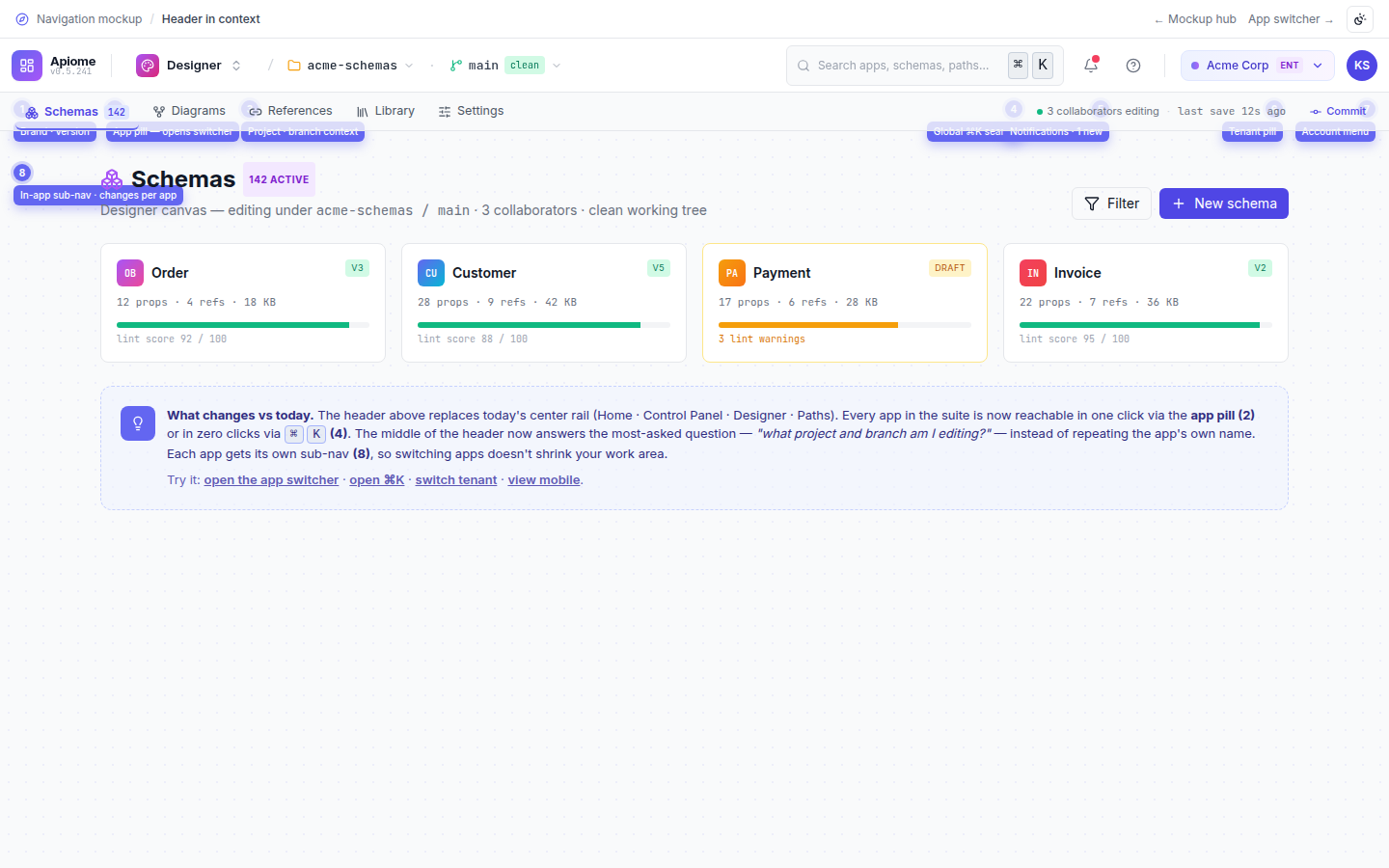
Two-tier global header
An app pill, live project and branch context, ⌘K, notifications, help, tenant, and avatar on the top tier — with per-app sub-navigation on a thin second tier.
Searchable app switcher
A waffle popover that groups every surface by domain, pins your favourites, and filters as you type — replacing the detour back to the launcher tile.
⌘K command palette
One unified search across apps, pages, projects, schemas, branches, actions, and recents, built on the same app registry as the switcher.
Always-on project context
Project and branch read like a git client — folder and branch pickers sit inline in the header so you always know where you are.
Tenant identity surface
A tenant pill exposes filter, admin badges, plan and region, and recent tenants without leaving your current screen.
Responsive mobile drawer
Below 768px the header collapses to a hamburger, app pill, and avatar, tucking the switcher and sub-nav into a slide-out drawer.
A look inside Apiome Navigation
Live design previews from the Navigation mockup pack — 7 surfaces in total.
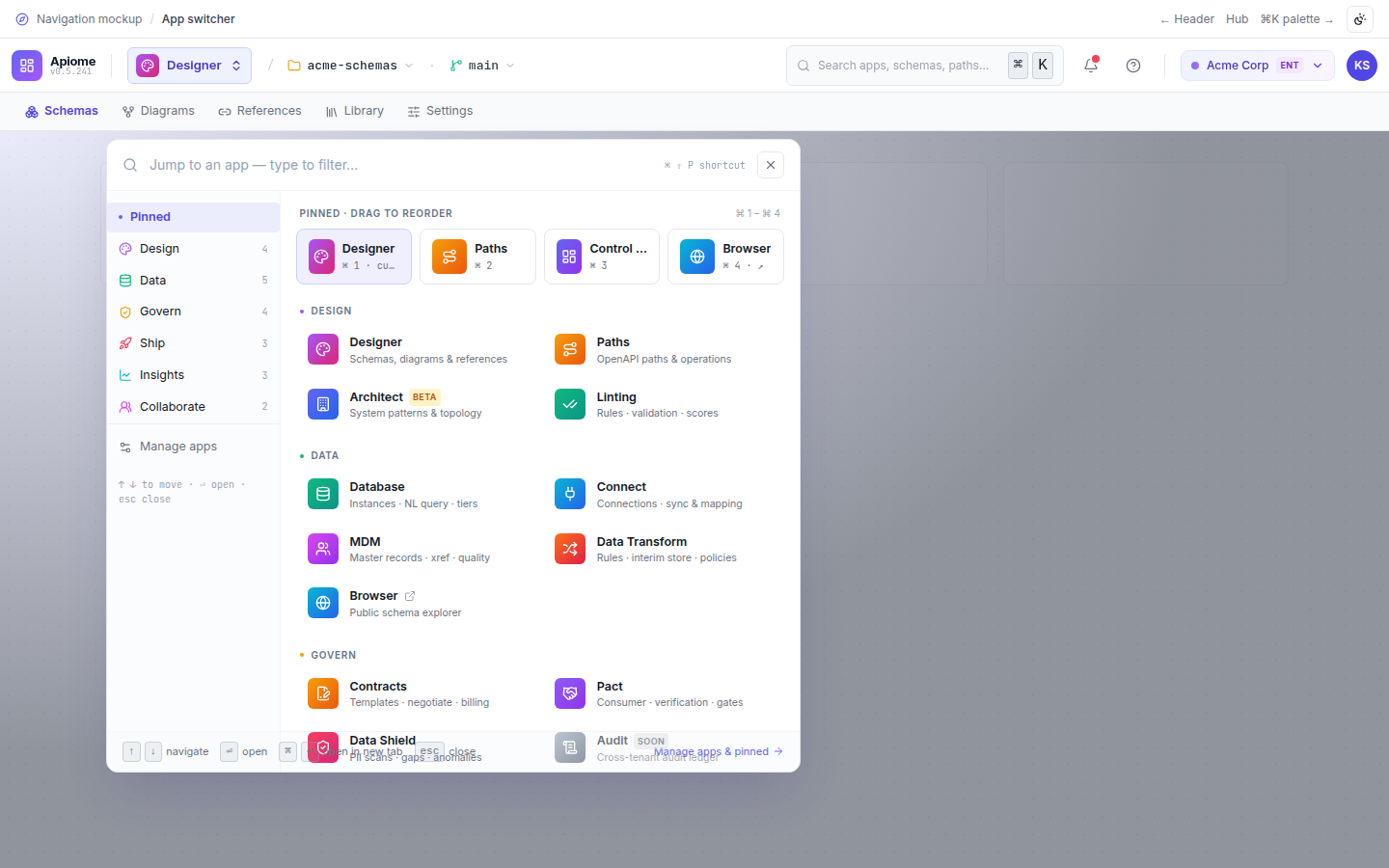
Grouped, searchable waffle switcher — Design, Data, Govern, Ship, Insights, Collaborate — opened from the app pill or ⌘⇧P.
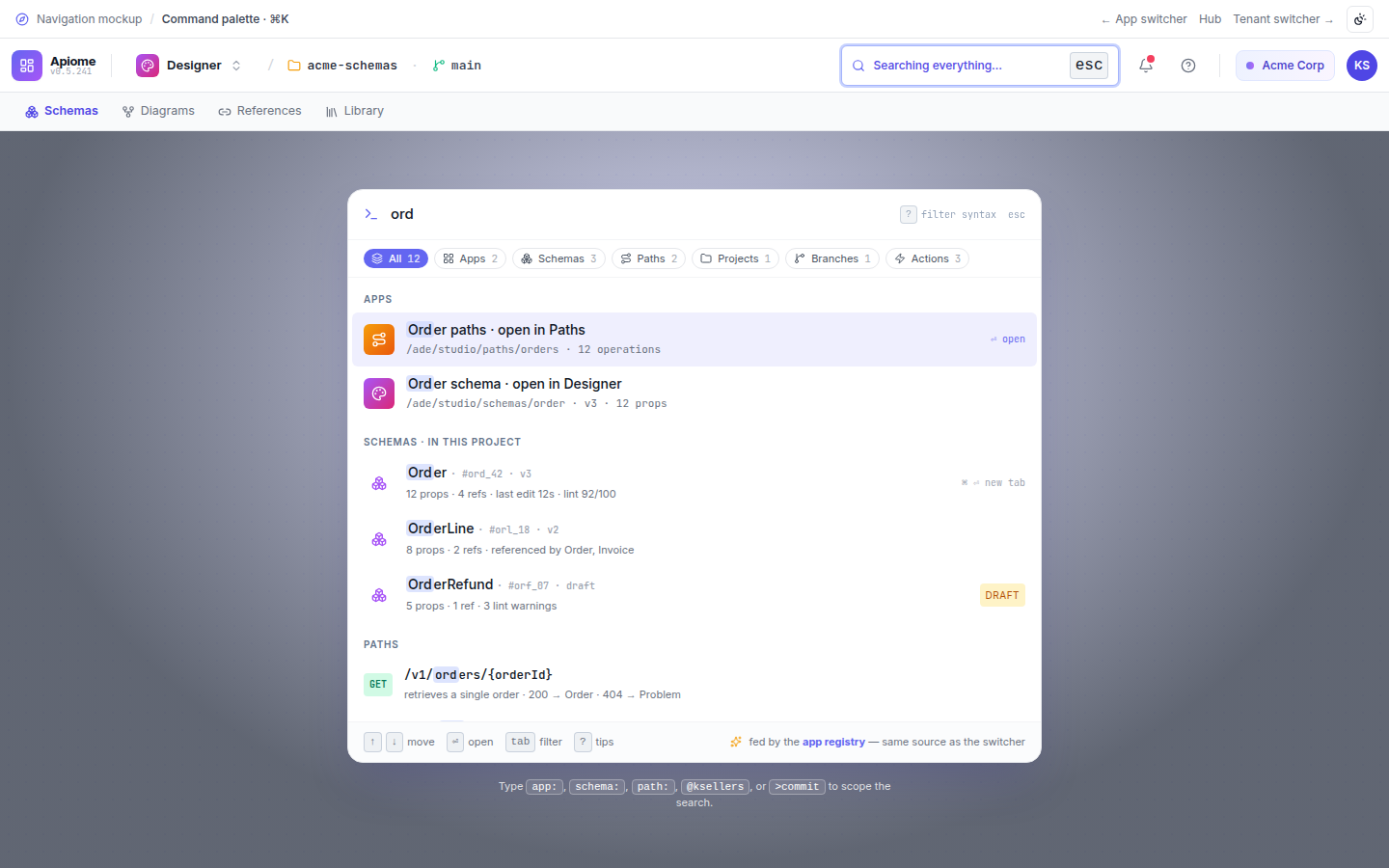
A ⌘K palette that unifies apps, pages, projects, schemas, branches, and actions into one fuzzy-searchable surface.
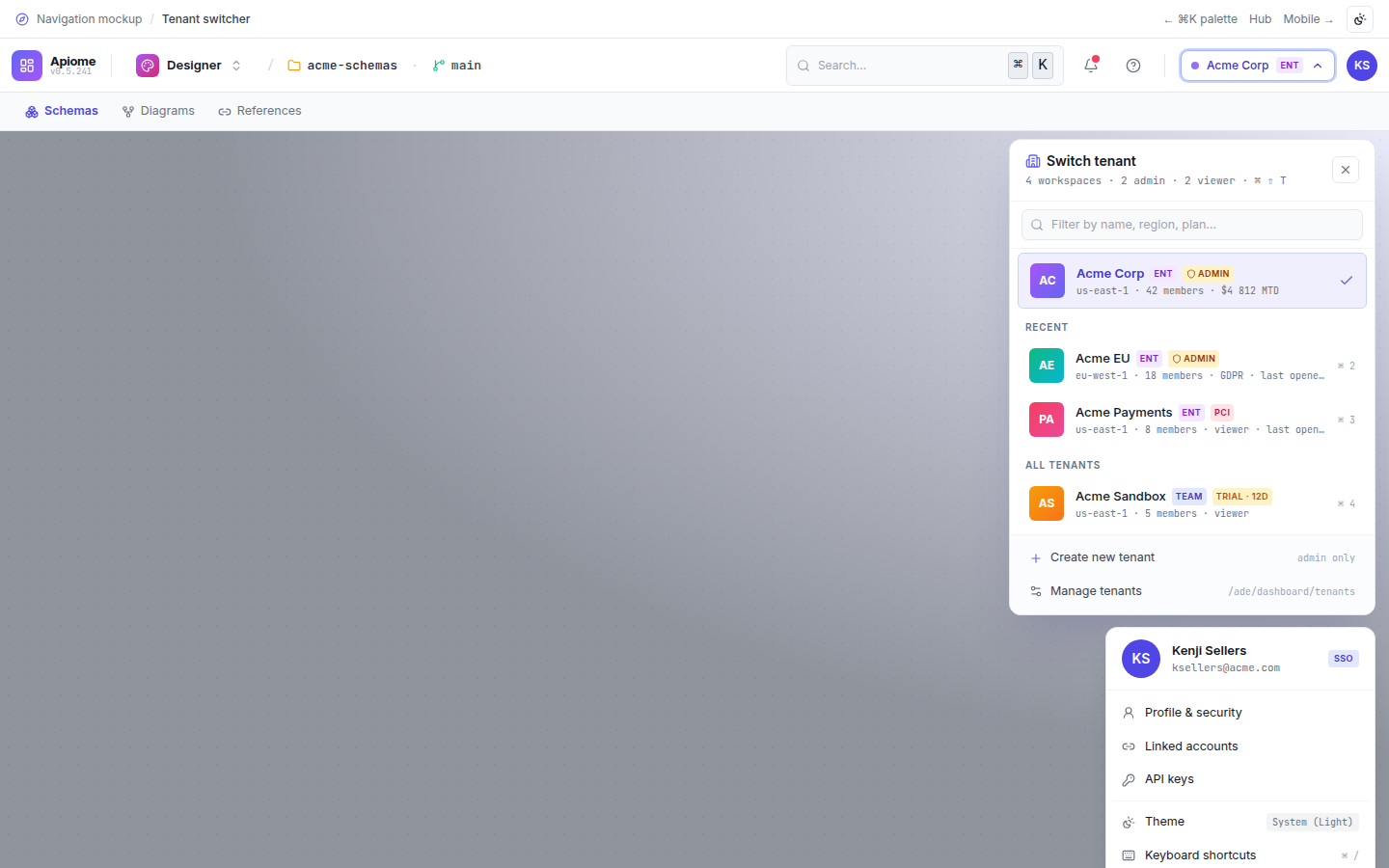
Tenant pill popover with filter, admin badges, plan and region, recents, and a manage-tenants footer.
Use cases
Navigation is designed around the way real teams actually work — not the way a tool wants them to work.
Give engineers one consistent shell across every Apiome app so switching tools never means losing project or branch context.
Jump to any schema, path, or action from anywhere with ⌘K instead of clicking through nested menus.
Move between customer tenants from the header pill, with plan, region, and admin badges visible at a glance.
- Typed app registry as a single source of truth for entitlements and visibility
- Role- and tenant-scoped app and command visibility
- SSO-aware tenant switching with per-tenant plan and region badges
- Configurable hotkeys and pinned-app policy per organization
- Audit trail for tenant switches and privileged command actions
- Natural-language routing to any app, screen, or action
- Rank results by your recent work and current context
- Suggest the next likely destination as you navigate
- Surface cross-app answers for schemas, paths, and projects inline
A command bar that understands intent
Navigation's ⌘K palette goes beyond fuzzy matching — describe what you want in natural language and it resolves the app, screen, or action, then routes you there with the right project and branch already selected.
Every NavigationAI feature is grounded in your tenant's data, runs under your data-residency policy, and respects every role and ACL the platform enforces.
Every surface in Apiome Navigation
A look at the 7 screens designed for this suite — covering everything from day-1 onboarding to day-100 operations.