Apiome Projects
Organize every data-model project in your workspace — with quality scores, version pipelines, and AI-assisted creation.
Apiome Projects is the portfolio home for every data-model project in a workspace. Browse them as cards or a compact table with quality-score rings and trend sparklines, drill into a project's versions, classes, and properties, and spin up new ones manually or by chatting with Apiome AI.
What ships with Projects
Every Projects surface is wired into the rest of the Apiome platform — no glue code, no separate identity, no bolt-on integrations.
Card & table portfolio views
Toggle a card grid or a compact table — both show quality rings, lint grades, sparklines, and domain badges.
KPI summary band
Workspace totals for projects, active versions, classes, properties, and average quality, with PII flags.
Search, filter & sort
Full-text search with status chips for Published, Review, and Draft, and sort by quality, versions, or last updated.
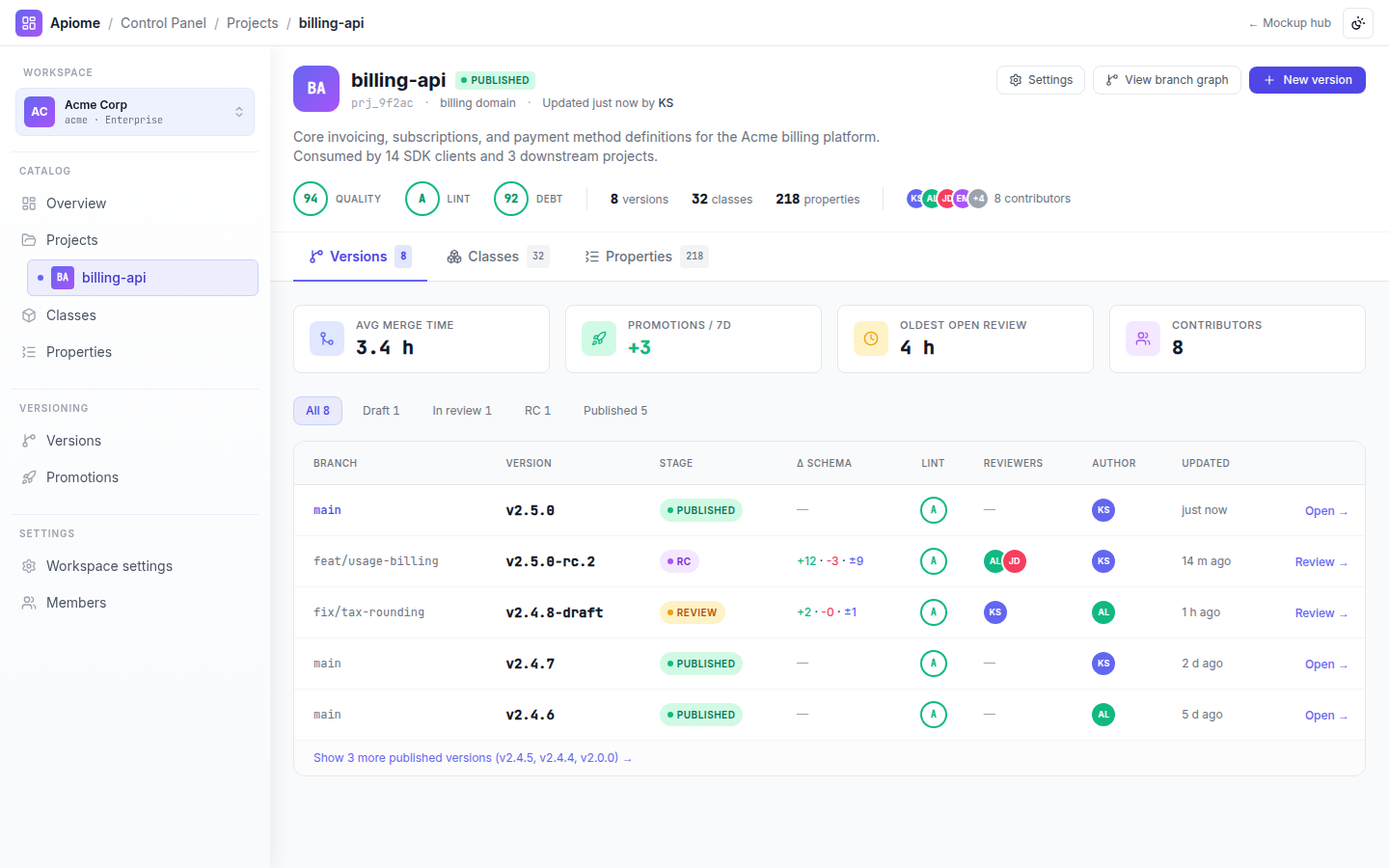
Project detail with tabs
A score strip and contributor avatars above Versions, Classes, Properties, Quality history, and Settings tabs.
Guided creation
A starting-template picker — Public REST, Internal, Microservice, Webhook, GraphQL companion — with a two-column OpenAPI metadata form.
Edit & governance
Full-page editing with an unsaved-changes banner, an enabled toggle, and a danger zone separating delete from permanent delete.
A look inside Apiome Projects
Live design previews from the Projects mockup pack — 4 surfaces in total.
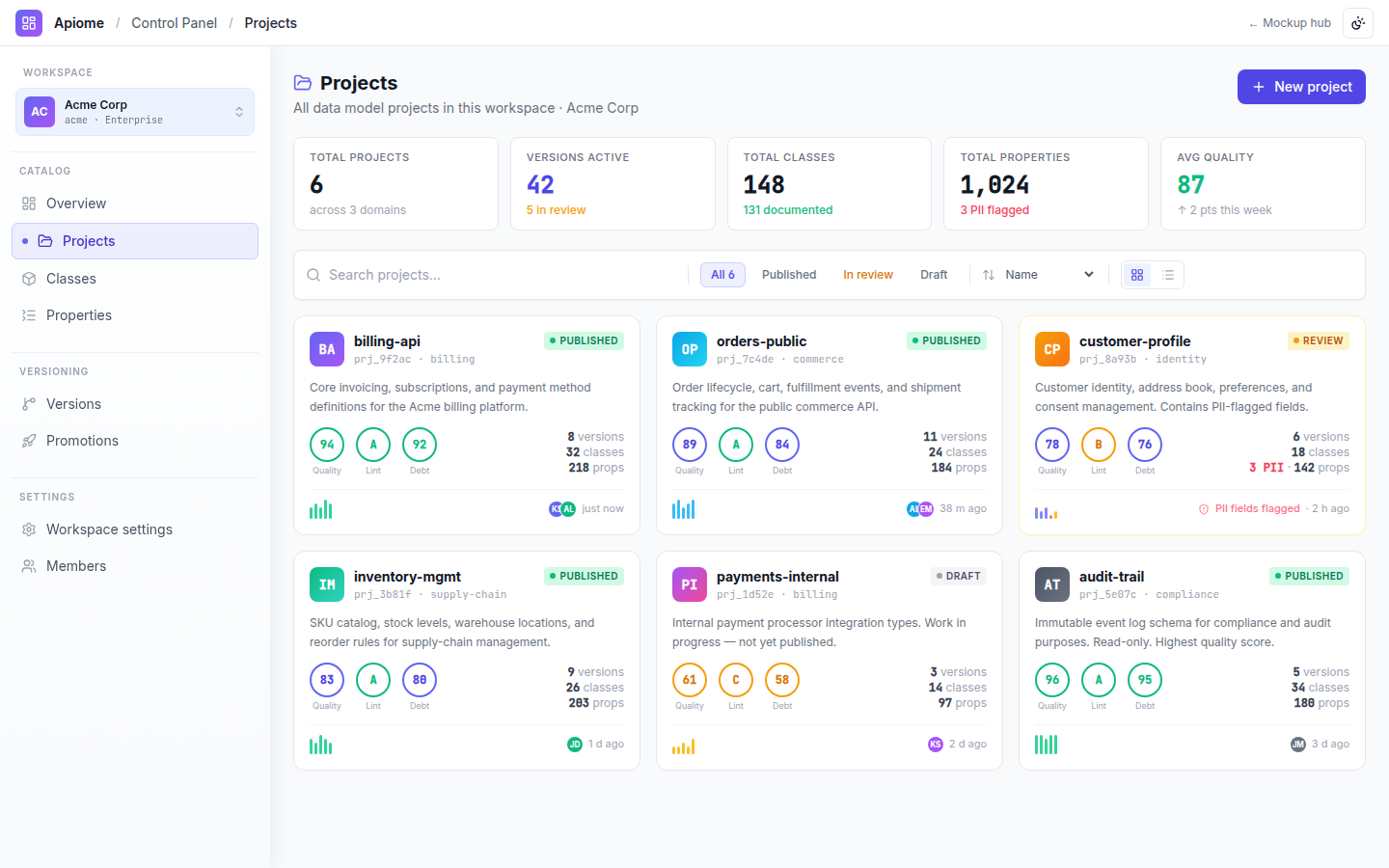
Card and table views with quality-score rings, quality-trend sparklines, and domain badges.
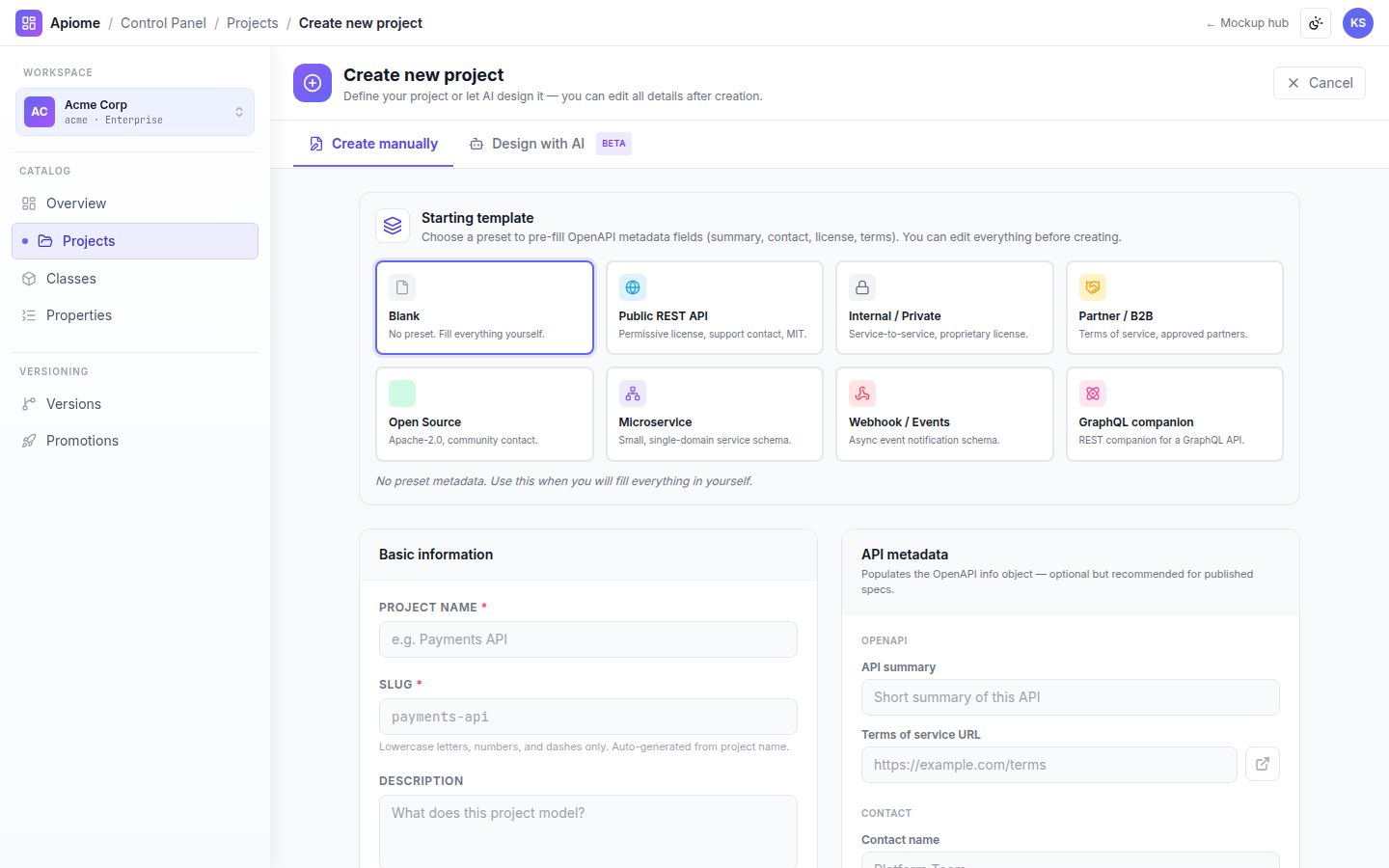
Starting-template picker and OpenAPI metadata form, plus a Design-with-AI chat tab.
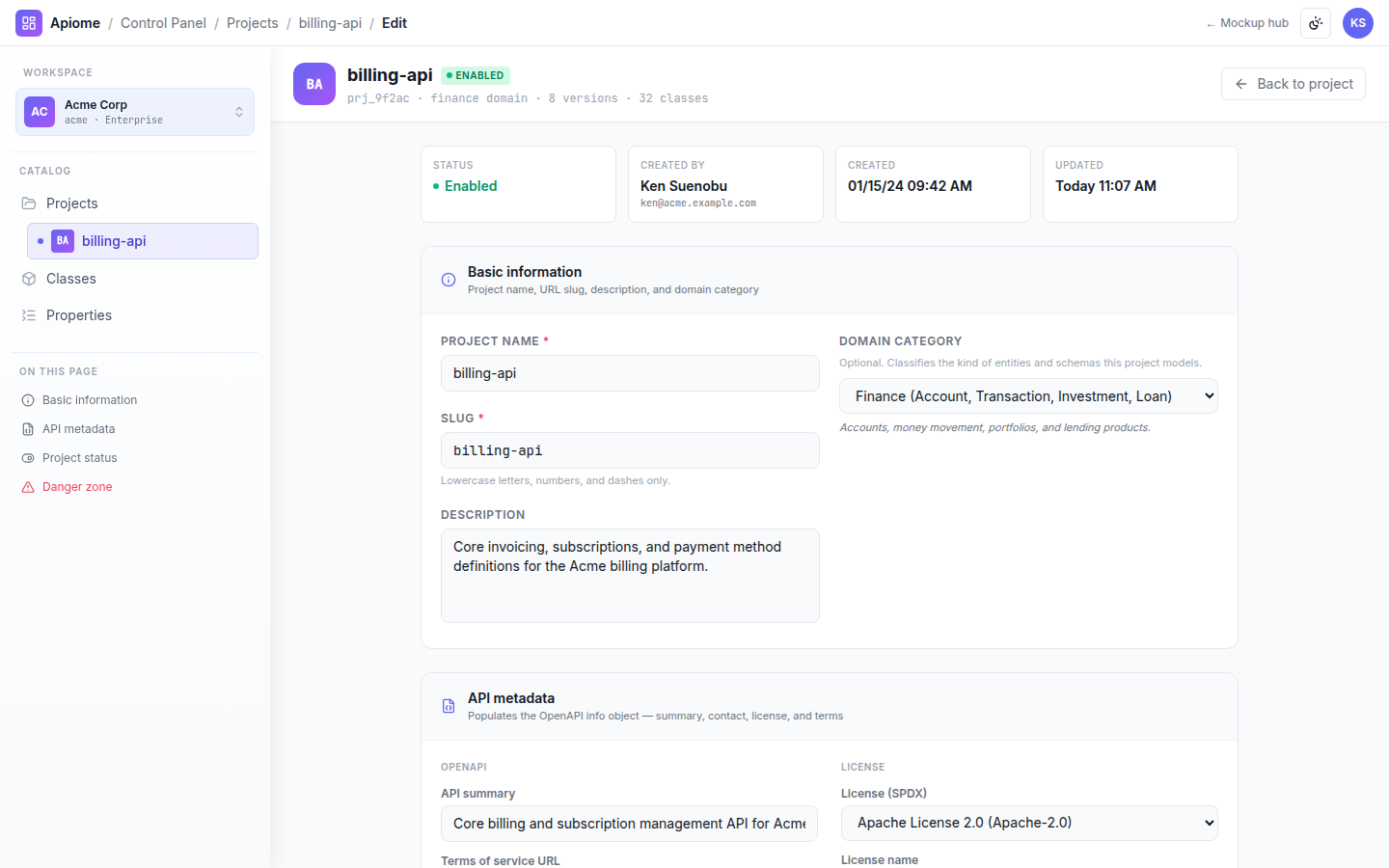
Full-page settings with a stats row, an enabled toggle, and a delete danger zone.
Use cases
Projects is designed around the way real teams actually work — not the way a tool wants them to work.
Triage a portfolio of schema projects by quality score in a single grid.
Scaffold a compliant API project from a starting template in minutes.
Track PII-flagged fields and quality trends before promoting a version.
- Per-project quality, lint, and dependency-debt scoring with trend history
- PII field flagging surfaced across list, cards, and detail views
- Domain classification pills for portfolio-wide organization
- Contributor attribution and last-activity on every project
- Danger-zone controls separating soft-delete from permanent delete
- Generate an OpenAPI spec from a natural-language brief
- Pre-fill project metadata, tags, and contact from a template
- Suggest classes and properties for a new domain
- Flag likely PII fields as the schema takes shape
Design a project with AI
Create Project ships with a Design-with-AI tab — chat with Apiome AI to generate a complete OpenAPI spec, then import it straight into a new project version.
Every ProjectsAI feature is grounded in your tenant's data, runs under your data-residency policy, and respects every role and ACL the platform enforces.
Every surface in Apiome Projects
A look at the 4 screens designed for this suite — covering everything from day-1 onboarding to day-100 operations.